


454 sales
Apple Smart Keyboard Folio, For 12.9-inch iPad - In Stock @Price in Kenya
Order Apple Smart Keyboard Folio from Price in Kenya with fast delivery across the country and in-store pickup in Nairobi.
Condition
New
Featured specifications for Apple Smart Keyboard Folio
- Keys
- US English, Full-size
- Functions
- Two viewing angles
- Battery
- No
- Wireless connectivity
- No
KSh 24,900
In StockKindly note: though we strive to keep all products up to date, price and availability are subject to change without prior notice.
Apple Smart Keyboard Folio key features
- Full-size keyboard for iPad Pro 12.9-inch
- Front and back protection
- Two viewing angles for typing and viewing
- Smart Connector enables instant pairing and power
- No batteries or charging required
- Attaches magnetically for a secure fit
Similar products
Alternatives to Apple Smart Keyboard Folio from Price in Kenya
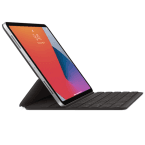
Apple Smart Keyboard Folio, For 11-inch iPad
KSh 27,000
KSh 2,100 more
Apple Magic Keyboard
KSh 21,000
KSh 3,900 less
Apple Magic Keyboard With Touch ID And Numeric Keypad
KSh 19,800
KSh 5,100 less
Apple Magic Keyboard With Numeric Keypad
KSh 17,300
KSh 7,600 less
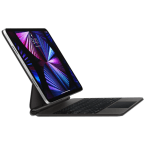
Apple Magic Keyboard, For 11-inch iPad M4
KSh 45,000
KSh 20,100 more
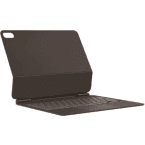
OnePlus Pad 4 Smart Keyboard
KSh 30,500
KSh 5,600 more
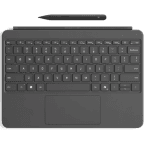
Microsoft Surface Pro 12'' Keyboard with Pen
KSh 33,000
KSh 8,100 more
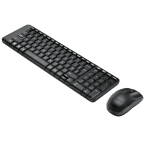
Logitech MK220, Wireless Keyboard and Mouse Combo
KSh 4,500
KSh 20,400 less


If you use a compatible 12.9-inch iPad Pro for email, documents, notes, or study, the Apple Smart Keyboard Folio adds a full-size keyboard without charging cables or pairing steps. It combines a black cover, magnetic attachment, and two positions for typing or viewing. Your iPad isn't included. Browse other keyboards or compare Apple keyboards if you're deciding between an iPad folio and a desktop keyboard.
What Stands Out in Daily Use
Type Without Charging: The Apple Smart Connector powers the keyboard directly from your compatible iPad. You won't need batteries, a separate charger, or wireless pairing to start typing.
Full-Size Familiar Layout: The full-size US English layout feels familiar for writing, spreadsheets, and email. Compare other US English keyboards if layout is your main priority.
Quick Magnetic Setup: The folio snaps into place magnetically for a secure fit. Connect it when you want to type, then fold it into a cover when you're ready to move.
Two Useful Positions: Switch between two viewing angles for typing at a desk or watching content at home, in class, or while travelling.
Front and Back Coverage: The black folio protects both sides of your iPad, combining the keyboard and cover in one accessory.
Purpose-Built Connection: The Apple Smart Connector handles pairing and power instantly, so there's no wireless connection to set up.
Typing and Protection in Practice
You can leave the keyboard charger out of your bag because there isn't one. The full-size layout works well for longer documents, and magnetic attachment keeps setup quick when you move between rooms. Two positions handle everyday typing and viewing, though the screen doesn't offer a wider range of adjustment. Front and back coverage also means you won't need a separate keyboard case.
Compatibility and Design Trade-Offs
Model A2039 fits the iPad Pro 12.9-inch 3rd, 4th, and 5th generation models. It isn't made for an 11-inch iPad, and the iPad isn't included. There's no Bluetooth or other wireless connectivity. The keyboard connects and draws power through the Smart Connector. Its fixed two-position design keeps things simple, but it gives you less stand adjustment than some alternatives.
Frequently Asked Questions
Which iPad models does it fit?
It fits iPad Pro 12.9-inch 3rd, 4th, and 5th generation models. Match both the screen size and generation to your iPad, since this folio isn't made for 11-inch models.
Does it need charging or batteries?
No. The Apple Smart Connector supplies power and handles pairing through your compatible iPad. Just connect the folio and start typing, without charging a keyboard battery or setting up a wireless connection.
Can I use it as a protective cover?
Yes. It protects the front and back and attaches magnetically for a secure fit. You get a keyboard and folding cover in one accessory, with two viewing angles for everyday typing and watching content.
Is the iPad included with the keyboard?
No, the iPad isn't included. You'll receive the black Apple Smart Keyboard Folio, model A2039, with a full-size US English keyboard and Smart Connector for compatible 12.9-inch iPad Pro generations.
Does it connect through Bluetooth?
No, it has no wireless connectivity. It uses the Apple Smart Connector for instant pairing and power. You won't need to manage Bluetooth pairing or charge the keyboard separately.
What warranty covers this folio?
It has a 1 Year Standard Warranty for general new items. The product warranty policy excludes wear and tear, unauthorized repairs, and third-party components, so keep your purchase records and use the folio as intended.
Specs comparison
Compare Apple Smart Keyboard Folio specs with similar products
| Detailed Comparison | |||||||||
|---|---|---|---|---|---|---|---|---|---|
| Popularity stats for Nov 2026 | |||||||||
| Views | 345 | 327 | 368 | 299 | 281 | 438 | 158 | 91 | 57 |
| Sales | 42 | 40 | 41 | 37 | 43 | 41 | 26 | 14 | 11 |
| Likes | 0 | 1 | 0 | 0 | 0 | 0 | 0 | 0 | 0 |
| Hotness score | 0 | 0 | 0 | 0 | 0 | 0 | 0 | 0 | 0 |
| Price | KSh 24,900 | KSh 27,000 | KSh 21,000 | KSh 17,300 | KSh 19,800 | KSh 45,000 | KSh 4,500 | KSh 30,500 | KSh 33,000 |
| General | |||||||||
| Available |
|
|
|
|
|
|
|
|
|
| Dimensions |
|
|
|
|
|
|
|
|
|
| Weight |
|
|
|
|
|
|
|
|
|
| Colors |
|
|
|
|
|
|
|
|
|
| Compatibility |
|
|
|
|
|
|
|
|
|
| Key features |
|
|
|
|
|
|
|
|
|
| Keys |
|
|
|
|
|
|
|
|
|
| Functions |
|
|
|
|
|
|
|
|
|
| Battery |
|
|
|
|
|
|
|
|
|
| Connector |
|
|
|
|
|
|
|
|
|
| Wireless connectivity |
|
|
|
|
|
|
|
|
|
| Features |
|
|
|
|
|
|
|
|
|
| Notes |
|
|
|
|
|
|
|
|
|


Video reviews
The best video reviews for Apple Smart Keyboard Folio
-
Tech in 4 [Courtesy]
-
AppleInsider [Courtesy]
-
Neon Nomad [Courtesy]
Price history
Historical prices for Apple Smart Keyboard Folio
User reviews
Reviews and ratings for Apple Smart Keyboard Folio
5 out of 5 · 1 reviews
5 star
4 star
3 star
2 star
1 star
Reviews (1)
- 5
Anne
8 Feb 2022 10:36 AMUser only left a rating
Share your experience
Help other users learn more about this item.
Price range
All Keyboards by price range
Trade-in
Trade in and save on new purchases
Save on new purchases when you trade in your old eligible device
Trade-in supported devices